在Linux下vue项目的环境配置和运行
备注
本章节Linux为 CentOS 7.x
vue项目运行环境的简易配置
安装nodejs和npm
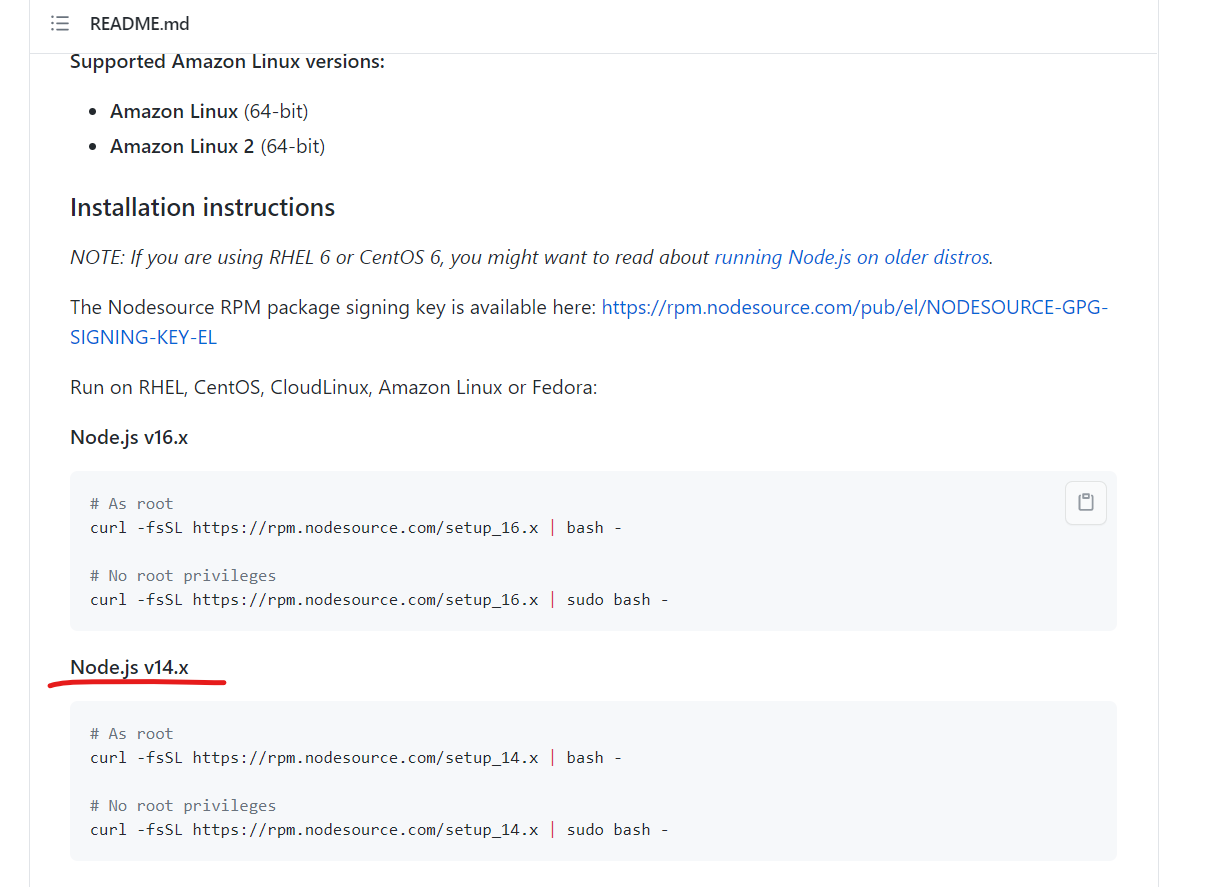
从链接中获取最新命令 Enterprise Linux based distributions --Installation instructions
备注
需要注意的是,这个对不同的Linux版本系统的支持是不同的,在使用之前查看一下被支持的Linux系统都有哪些。(在图片/链接所示网页中)
# As root
curl -fsSL https://rpm.nodesource.com/setup_14.x | bash -

# No root privileges
curl -fsSL https://rpm.nodesource.com/setup_14.x | sudo bash -
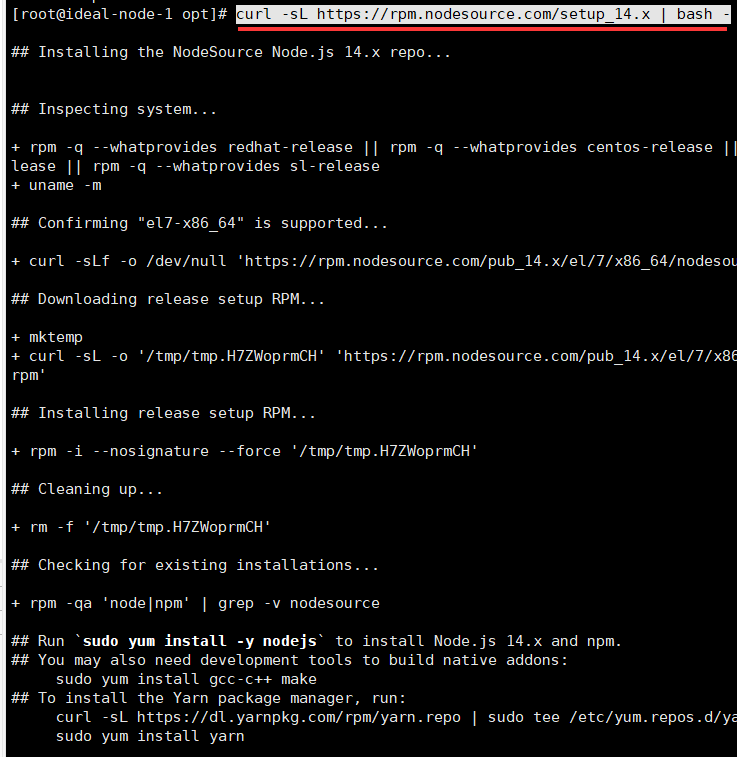
然后,通过命令 yum -y install nodejs 或 sudo yum -y install nodejs 下载 nodejs 。
安装完成后,通过命令 node -v 和 npm -v 验证安装是否成功。
替代默认NPM镜像为淘宝NPM镜像
首先,我们可以通过命令查看当前镜像地址: npm get registry。
替换命令为:npm config set registry http://registry.npm.taobao.org/
如果想恢复原来的镜像地址:npm config set registry https://registry.npmjs.org/
用淘宝定制的cnpm工具来代替默认的npm
命令: npm install -g cnpm --registry=https://registry.npm.taobao.org
验证安装成功: cnpm -v

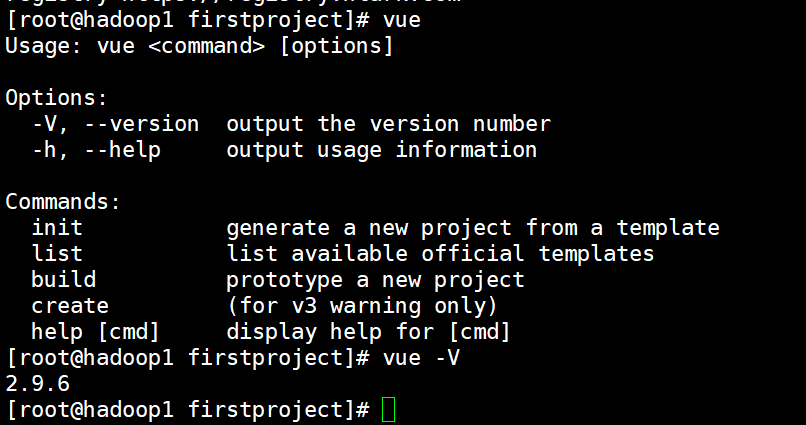
构建vue项目遇到的问题
“Vue中 I Your application is running here: http://localhost:8080 便不运行/卡住”
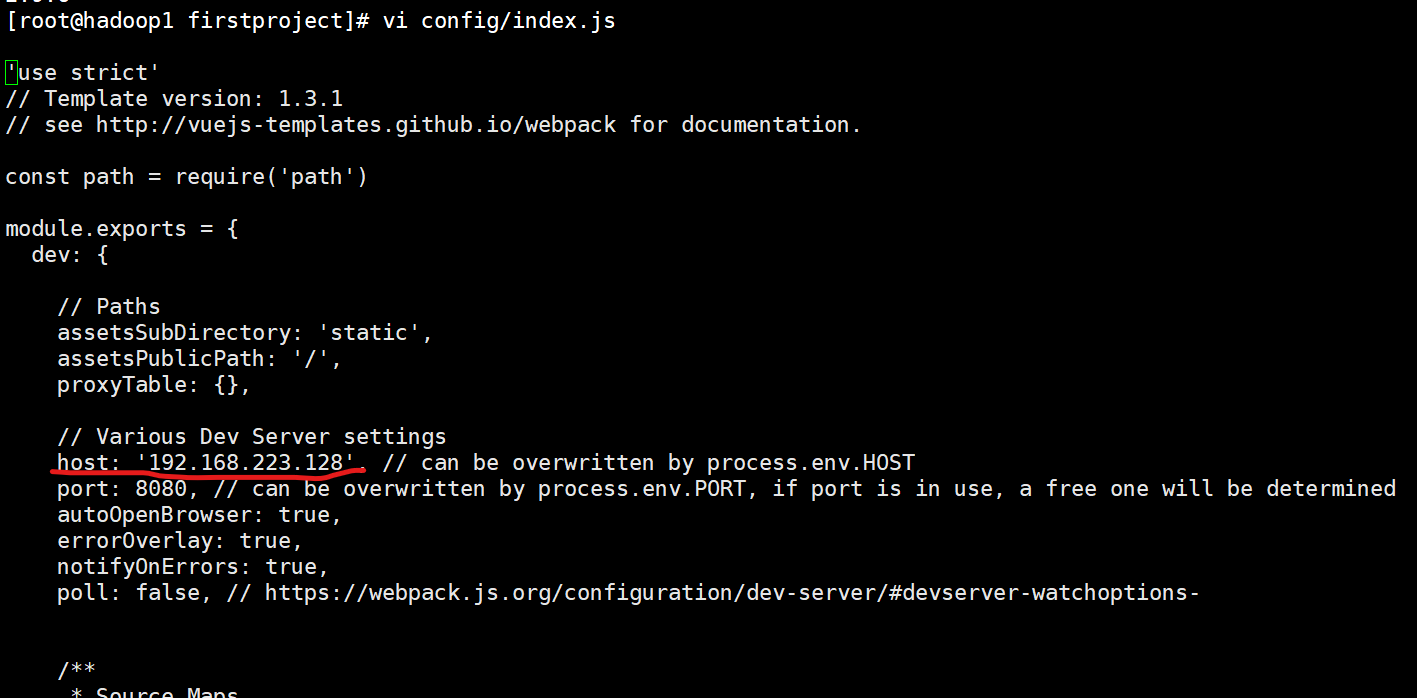
解决办法:目录中config下的index.js修改如下
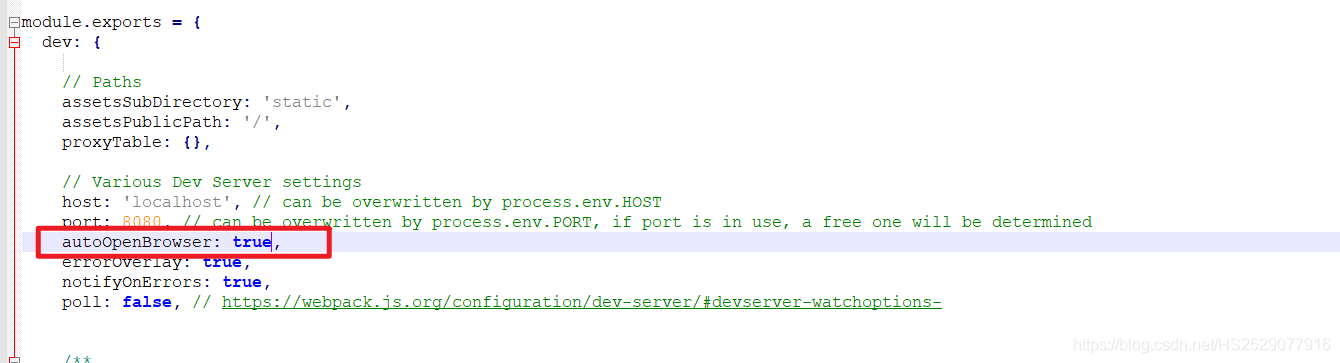
将autoOpenBrowser:false ;改为true